


Booking.com: Hotels & Travel review
 Analysis by GetAllApps
What I value most about Booking.com is the way it can keep accommodation research and a reservation in one place. That sounds simple, but it changes how I plan a trip: instead of scattering options across browser tabs and trying to remember which room had which terms, I can compare stays in the app and return to the details I was considering. It is a practical travel tool rather than a substitute for thinking through where, when, and how I want to travel.
One place to compare stays
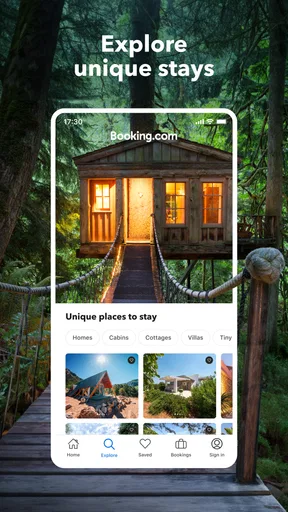
Booking.com is a free travel and local app from Booking.com Hotels & Vacation Rentals. Its focus is broader than a hotel search alone, with accommodation choices that can include hotels and vacation rentals. That range is useful when I have not yet decided whether I want a conventional room or a place with a more home-like setup. The app is rated for Everyone, and the current version is 70.4.
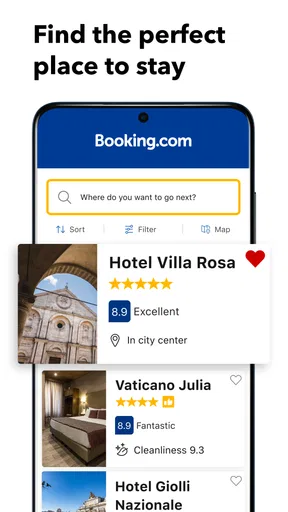
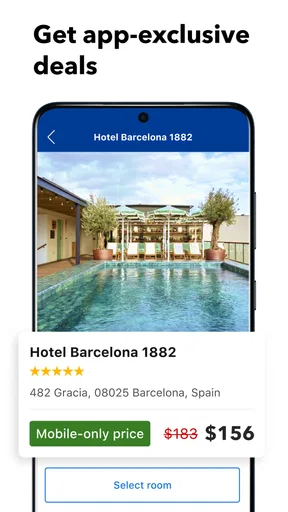
The main strength is not that every option will suit every traveler. It is that I can use one search to get a clearer view of the possibilities, then inspect the particulars of a place before I commit. In practice, the meaningful comparison is not just between names and photos. I pay attention to location, room type, the total terms shown for the stay, and whether the arrangement fits the people traveling with me.
That last step matters. A listing can look appealing in a small image and still be wrong for the trip: perhaps the location adds a long commute, the room arrangement does not fit the group, or the booking terms are less convenient than another option. I treat the results as a shortlist to investigate, not as a recommendation that has already done the decision-making for me.
How the search helps in practice
I get the most value when I start with dates and a general destination, then narrow the search around the needs that would actually change my choice. For a city break, location may be more important than extra space. For a family visit, room layout and the kind of property can matter more than a polished lobby. Thinking through those priorities first makes the comparison less noisy.
A useful habit is to open a promising listing and read its details before moving on. I check that the room or property shown matches what I need, and I review the conditions attached to the specific option rather than assuming that all choices at the same address are alike. When I compare two stays, I try to compare the same things on both: where they are, what the room includes, and what I would be agreeing to when I book.
This is especially helpful when a group is involved. One person may care most about being near a venue, while another wants a quieter place or more room. Having options collected in one app makes it easier to discuss actual alternatives instead of sending a stream of disconnected listings. I still recommend reading the details together before anyone treats a shortlist as settled.
A realistic use case: a short city trip
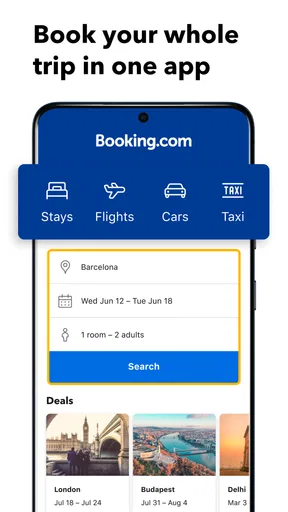
Imagine I am planning a weekend in a city where I will spend much of the day visiting friends and moving between neighborhoods. I would first search for the dates and destination, then look for places that make those plans convenient. Rather than choosing the cheapest-looking result immediately, I would compare how each location fits the itinerary and inspect the terms for the room I would actually reserve.
If one option is a hotel and another is a vacation rental, the app can help me see both as candidates, but I would judge them by different needs. A hotel may suit a quick arrival and a simple overnight routine. A rental may be more appealing if the group needs a different kind of space. Neither format is automatically better; the trip determines which trade-off makes sense.
Once I have a likely choice, I would pause before booking and check the dates, guest arrangement, property details, and reservation conditions. This small final review is more valuable than rushing through the search. It helps catch the common planning mistake of finding a place that looks right in general but does not match the specific trip.
Where it saves effort—and where it does not
The app is most convenient when I am comparing several accommodation options and want to keep the research together. It can reduce the mental clutter of switching between unrelated pages, particularly when plans are still flexible. Booking.com has been available since February 4, 2011, and its scale is reflected in over 500 million installs, alongside a 4.8 average from around 6.5 million ratings. Those figures suggest that many travelers use it, but they do not tell me whether a particular property or booking is right for my needs.
There is also a limit to what an aggregated search can do. A large selection can make the first pass feel busy, and a polished photo does not tell the whole story of a stay. I find it helps to decide on a few non-negotiables before searching, then ignore listings that fail them. Otherwise, it is easy to spend time comparing appealing details that will not matter once I arrive.
I also would not rely on the app as my only source of judgment for a destination. If I need highly specialized lodging, have unusual accessibility requirements, or am organizing a complicated group stay, I would verify the specifics carefully and consider contacting the property or using a more focused option when that gives me clearer answers. The convenience of one search does not remove the need to check important arrangements.
How it compares with other ways to book
Compared with searching hotel chains one by one, Booking.com is useful when I want to consider different kinds of accommodation in the same destination. A chain’s own app can be a better fit when I already know which brand I want, especially if my decision depends on that brand’s particular rooms or service. For an independent property or a vacation rental, a broader marketplace can make the initial discovery stage easier.
Compared with general web searching, the app gives me a more focused place to evaluate stays and return to details. But a search engine can still be useful for broader destination research, such as working out which neighborhood fits an itinerary. I would use the two approaches for different jobs: explore the destination first if I am unfamiliar with it, then use Booking.com to compare accommodation candidates against the plan.
It is not the best choice for someone who has already selected a particular hotel and only wants to deal directly with that property. In that situation, a direct booking route may be simpler. It is also not ideal for a traveler who dislikes comparing options and would rather rely on a trusted adviser to make a tailored recommendation. The app helps organize choices; it does not know which compromises I am willing to make.
Who gets the most from it
I would recommend it to travelers who want a practical way to browse hotels and vacation rentals together, especially when the destination is settled but the accommodation is not. It is also useful for people planning with someone else, because comparing actual options can make preferences and trade-offs easier to discuss. For a short trip with ordinary lodging needs, keeping the search and reservation process in one app can be a real convenience.
I would suggest skipping it as the main planning tool if the stay depends on detailed personal arrangements that need direct discussion, or if the traveler has already chosen a property and sees no value in comparing alternatives. People with strict requirements should treat each listing as something to verify, not assume that a broad search result has answered every question.
The app is free, which makes it easy to try without making it the center of every travel decision. Its size and strong average rating are reassuring context, not a guarantee of a perfect stay. My approach is to use it for what it does well: build a shortlist, inspect the specific room or property, and compare the terms with the trip in mind.
My recommendation
For me, the strongest reason to use Booking.com is the focused accommodation comparison: I can weigh hotels against vacation rentals without letting the search become a pile of disconnected tabs. That is particularly helpful while dates and plans are being coordinated, or when the right type of stay is not obvious at first.
I would still slow down at the final decision. Check the exact option, location, guest setup, and booking conditions, and choose based on the trip rather than the most attractive listing image. If you are comfortable doing that bit of careful reading, this is a useful, approachable travel app. If you need a highly personalized recommendation or a direct relationship with one property, another route may serve you better.
Pros and cons
Pros
- Filters make it easier to narrow stays by price and amenities.
- Saved properties help keep potential stays together for later.
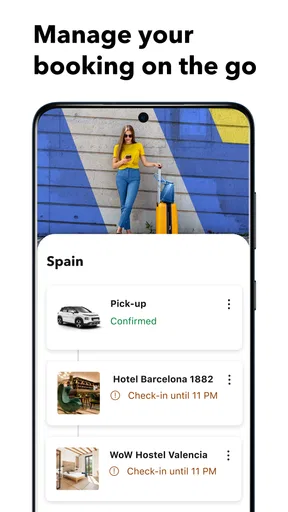
- Booking details are available in the app while traveling.
- Map view helps compare accommodation locations.
- The app supports booking stays in many countries.
Cons
- Some listings may have extra fees not included in the first price shown.
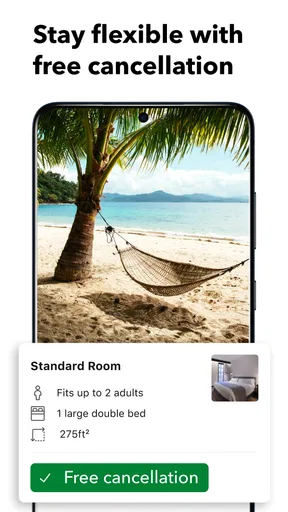
- Cancellation rules vary by property and can be restrictive.
- Property photos and descriptions may not match the actual stay.
- Customer support response times can vary.
- Prices and availability can change before a booking is completed.


